 AstraGrit
LANGUAGE LEARNING · ANDROID
LilyMC.
Your favorite videos.
Your next language lesson.
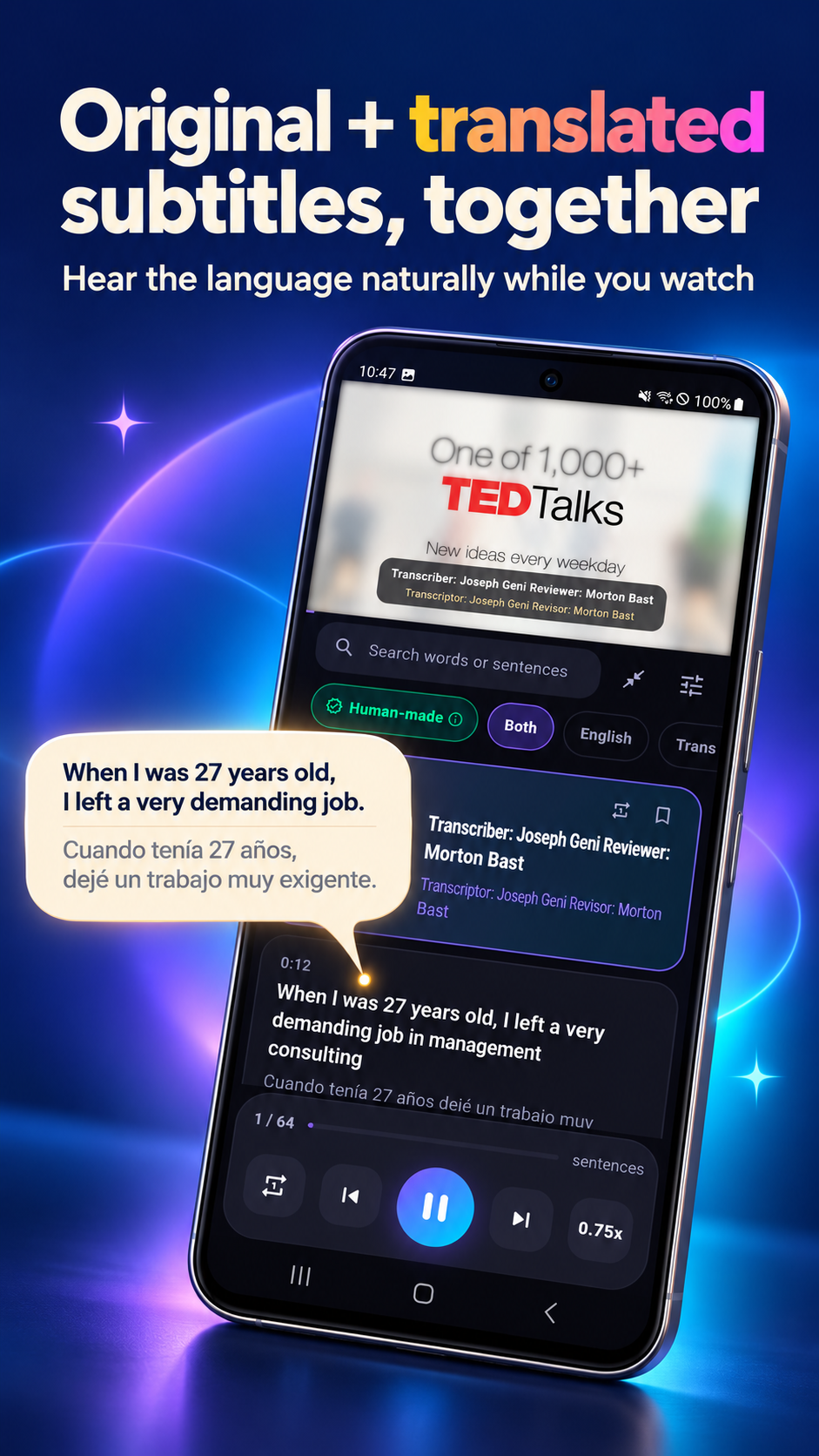
LilyMC is a dual-subtitle learning player for studying languages with videos you enjoy. See original captions alongside translations, save useful sentences, and review them with quizzes and speaking practice.
01 / LANGUAGES
Choose the language you want to learn.
The 18 learning languages and 133 subtitle translation languages are different sets. Choose your learning language and translate original captions into a language you understand.
02 / WATCH
Watch with dual subtitles. Repeat one sentence at a time.
- Original and translated subtitles together
- Original, translated, or dual-subtitle display modes
- Subtitle translation into your choice of 133 languages
- Sentence repeat for shadowing practice
- Playback speed controls and subtitle timing adjustment
- Labels for automatically generated and human-made captions
03 / DISCOVER
Find videos you want to learn from.
- Search within the app or paste a video link
- Filter for videos with captions
- Filter by length and beginner, intermediate, or advanced difficulty
- Topic-based video recommendations
- Your video library and resume playback
04 / REVIEW
Save useful sentences. Make them your own.
- Save sentences you want to remember
- Three-step practice: listen, check, and speak along
- Fill-in-the-blank and meaning quizzes
- Retry questions you answered incorrectly
05 / PROGRESS
See your practice add up.
- Set a daily learning goal
- Track your learning streak
- View learning time over the last seven days and cumulative statistics
06 / PERSONALIZE
Make your learning space comfortable.
- Light and dark themes
- Adjustable subtitle font size
- App interface available in 10 languages, including Korean, English, Japanese, and Chinese
07 / GET STARTED
Start in three steps.
- Choose your learning language and native language.
- Search for a video or paste a video link.
- Watch with dual subtitles, then save and review sentences you like.
08 / QUESTIONS
Frequently asked questions
Is LilyMC only for learning English?
No. LilyMC supports 18 learning languages, including Japanese, Chinese, Spanish, French, and Korean.
Can I translate subtitles into my native language?
You can choose from 133 subtitle translation languages. The app interface supports 10 languages; these are separate from the translation options.
Can I use any video?
Use supported videos that provide captions. Caption availability and quality vary by video, and automatic translations may contain errors.
How do I review saved sentences?
Use the three-step listen, check, and speak-along practice, or try fill-in-the-blank and meaning quizzes. You can retry incorrect answers.
Make your next video a learning moment.
Google PlayFor support, include the app name and a description of the issue. [email protected]