 AstraGrit
EVERYDAY TOOLS · ANDROID
Vibe Key.
Talk and watch your PC type.
AI Voice PC Keyboard & Mouse.
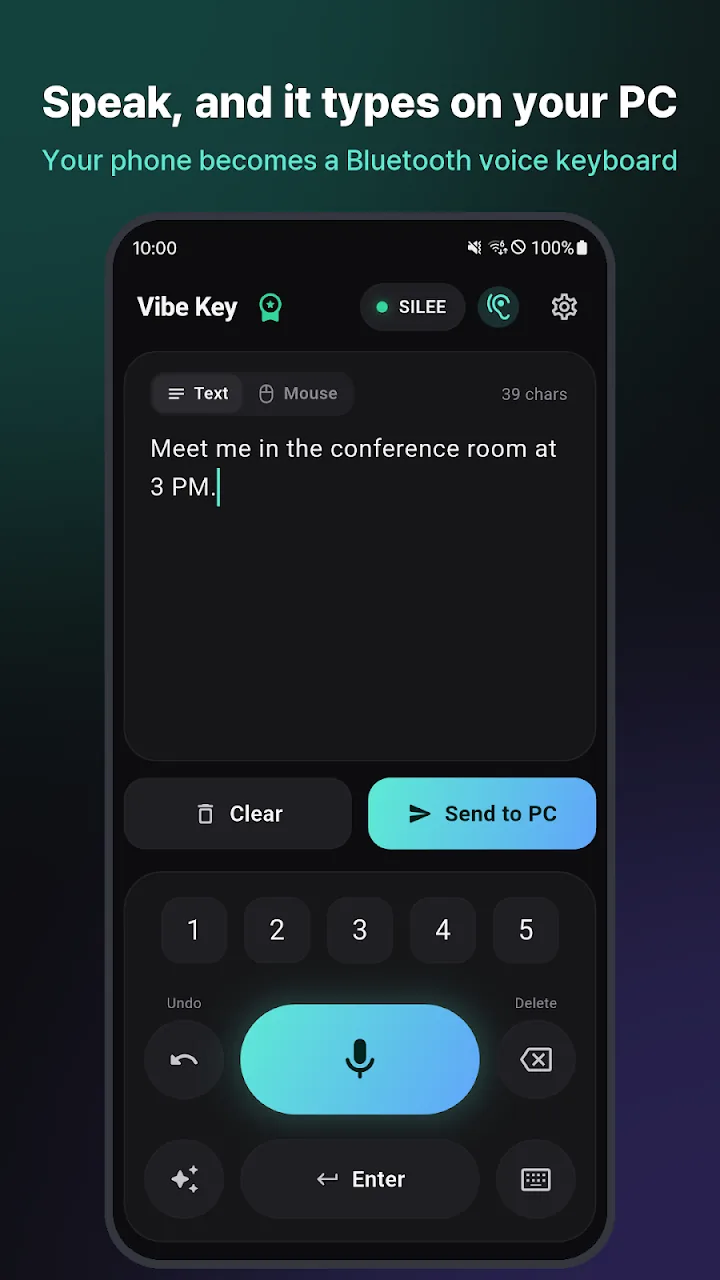
Vibe Key turns your phone into a Bluetooth keyboard and touchpad mouse for your computer with zero PC software installation. Dictate effortlessly into documents, chats, or code editors with hands-free wake words and AI text polishing.
01 / OVERVIEW
Instant voice typing to PC with Bluetooth keyboard & mouse.
Vibe Key turns your phone into a Bluetooth keyboard and touchpad mouse for your computer with zero PC software installation. Dictate effortlessly into documents, chats, or code editors with hands-free wake words and AI text polishing.
02 / FEATURES
Next-generation voice typing features
- Standard Bluetooth HID keyboard protocol – nothing to install on the PC
- Real-time voice dictation with automatic Windows Korean/English switching
- Hands-free wake word recognition: say 'Vibe Key' to begin dictation
- Optional AI text polish (Gemini, Groq, OpenAI) to clean filler words and syntax
- Built-in touchpad mouse with smooth scrolling and click gestures
- Persistent background connection with one-tap undo and retransmit
03 / HOW TO USE
Get started in three steps.
- Pair your phone as a Bluetooth keyboard in your computer's Bluetooth settings.
- Open Vibe Key and tap the mic or say the wake word.
- Your spoken words are instantly typed at the cursor on your computer screen.
04 / QUESTIONS
Frequently asked questions
Do I need to install any PC software?
No, it connects via the standard Bluetooth HID keyboard protocol supported by Windows, Mac, and Linux natively.
Is my voice data kept private?
Vibe Key runs with no central servers. Settings and API keys stay exclusively on your device.
Try it on your Android device today.
Google PlayFor support, please include the app name and description of the issue. support@astragrit.com